How can we help you?

Haven't got the manual to hand, misplaced it or lost it?
Then download it here conveniently and easily as a PDF.

Download PDF

Basic Actions

In the following text, the basic actions within excelerate are explained. These basics apply to all of the elements, regardless of their type.

Watch a short video

step by stepĀ 

CREATING MODULES

Modules separate the contents in your WBT. You can think of modules as Power Point slides.

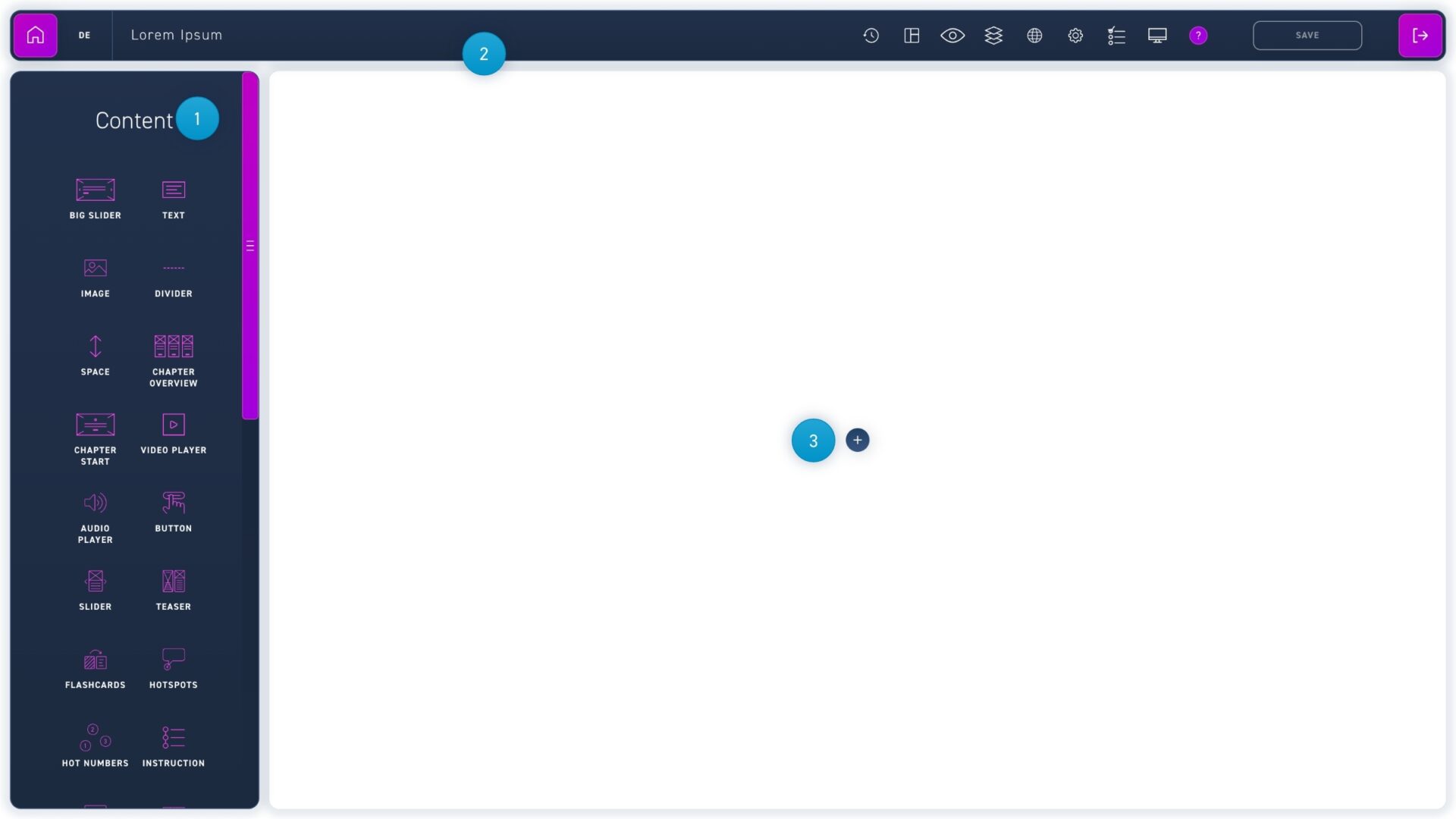
  1. Here you can find all content and quiz elements you can compose your WBT from.
  2. In the menu bar you can leave the edit box, change the language or make some settings for your WBT.
  3. With the blue plus button you can create a new module.

Bearbeiten von Modulen

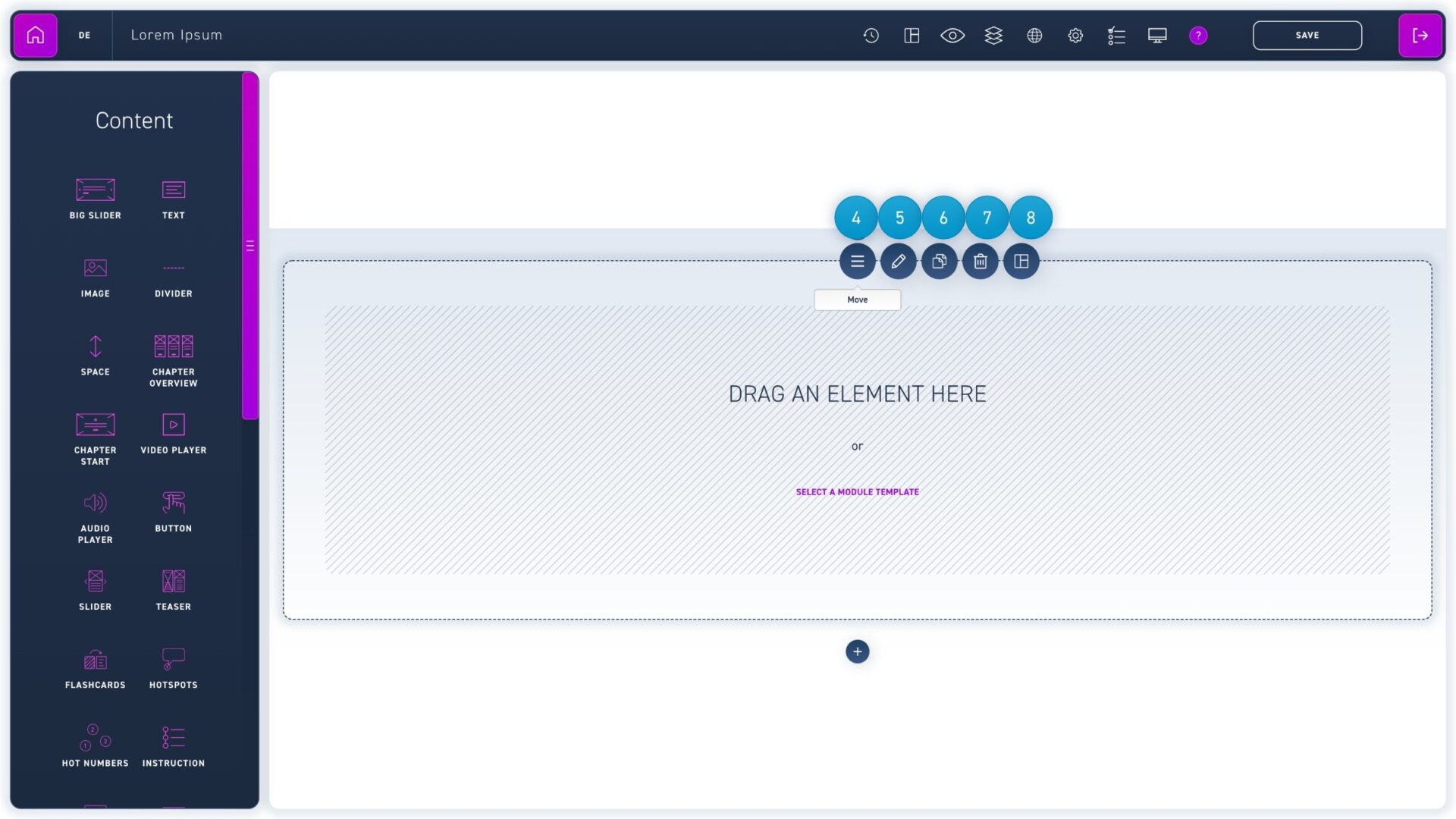
  1. To edit a module you can either click on it or move the mouse over the move symbol and select the options there.
  2. With the pencil icon you can edit the module settings.
  3. With the paper stack icon you duplicate a module.
  4. With the trash can icon you can delete a module with all its elements.
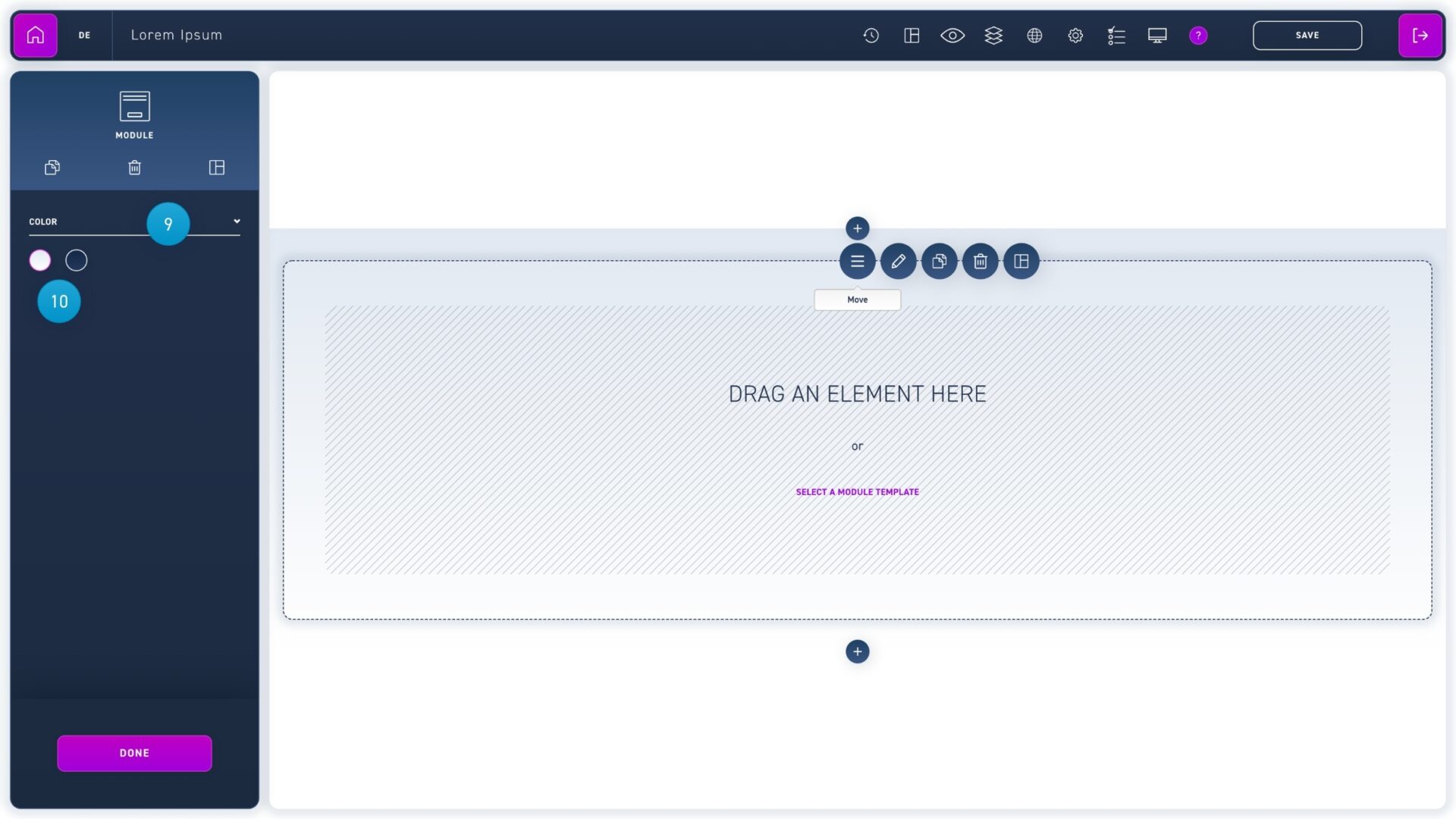
  1. Click on the dropdown to switch between a background color and a background image.
  2. You can choose between a light and a dark background color. The text color will adjust automatically.
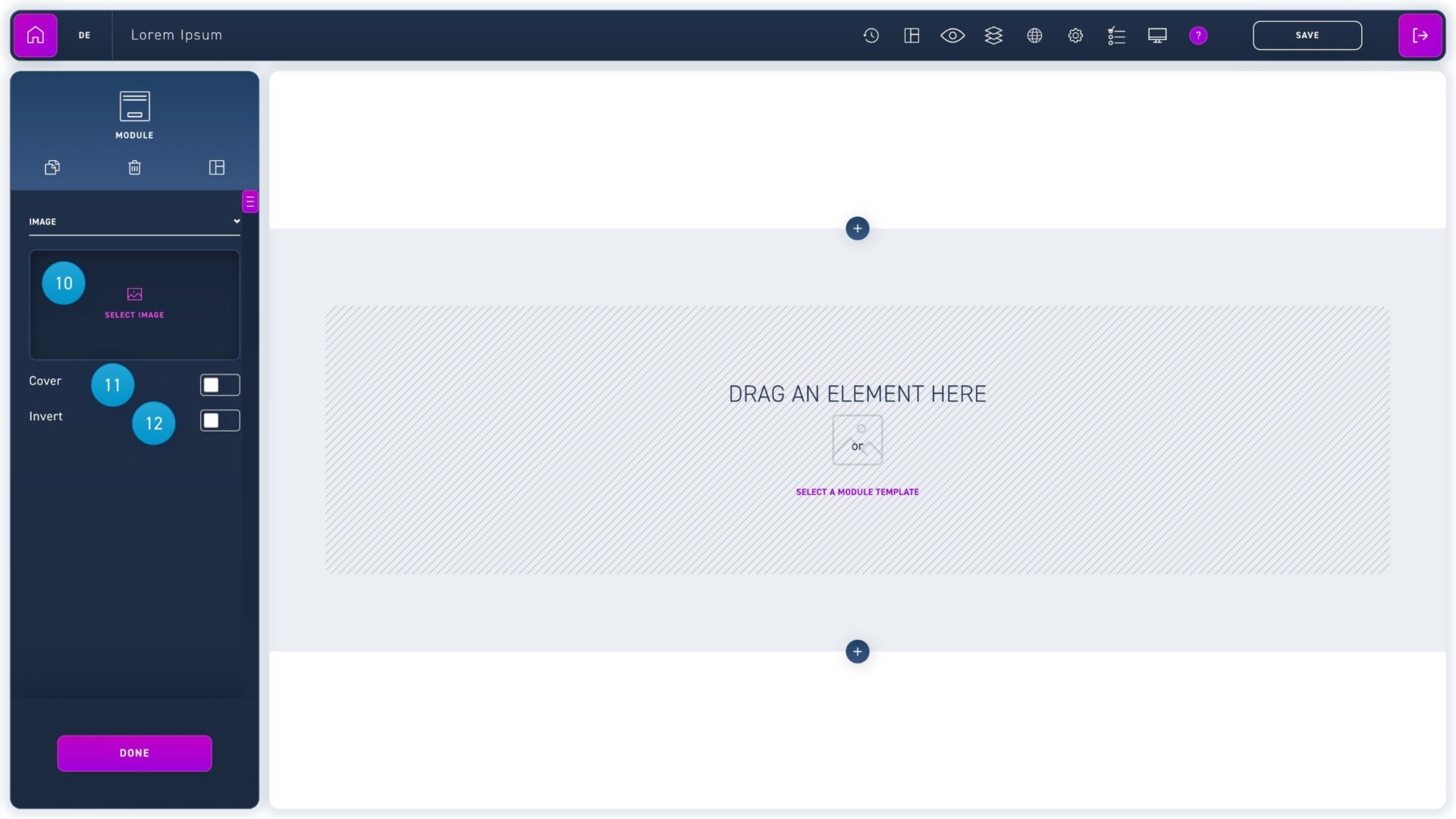
  1. Click on select image to add a background image.
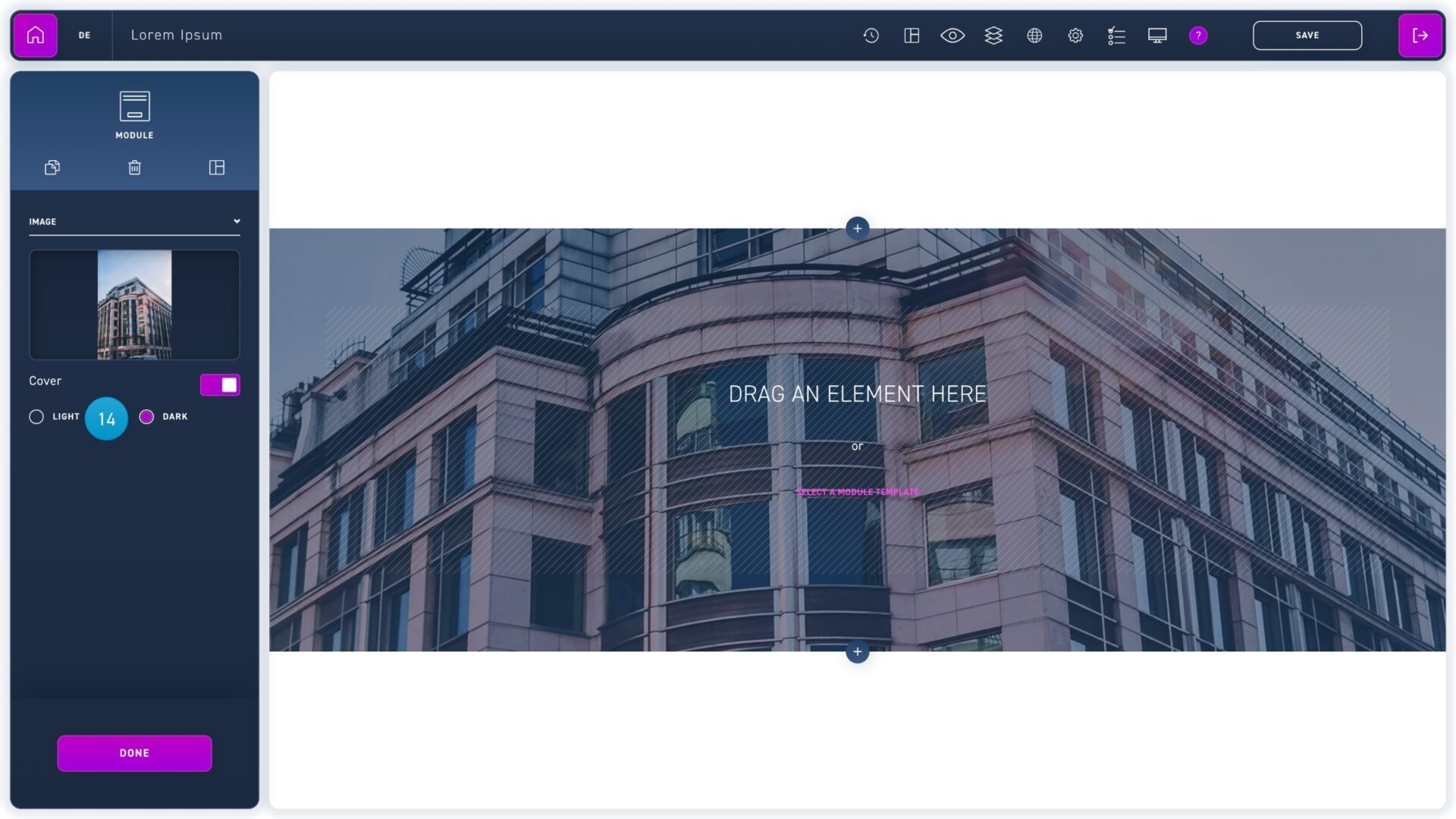
  2. If you want to lighten or darken the image, activate the cover button.
  3. Click the invert text button to change the text color from light to dark.
  1. Use the radio buttons to select whether the image should be darkened or lightened.

Create elements

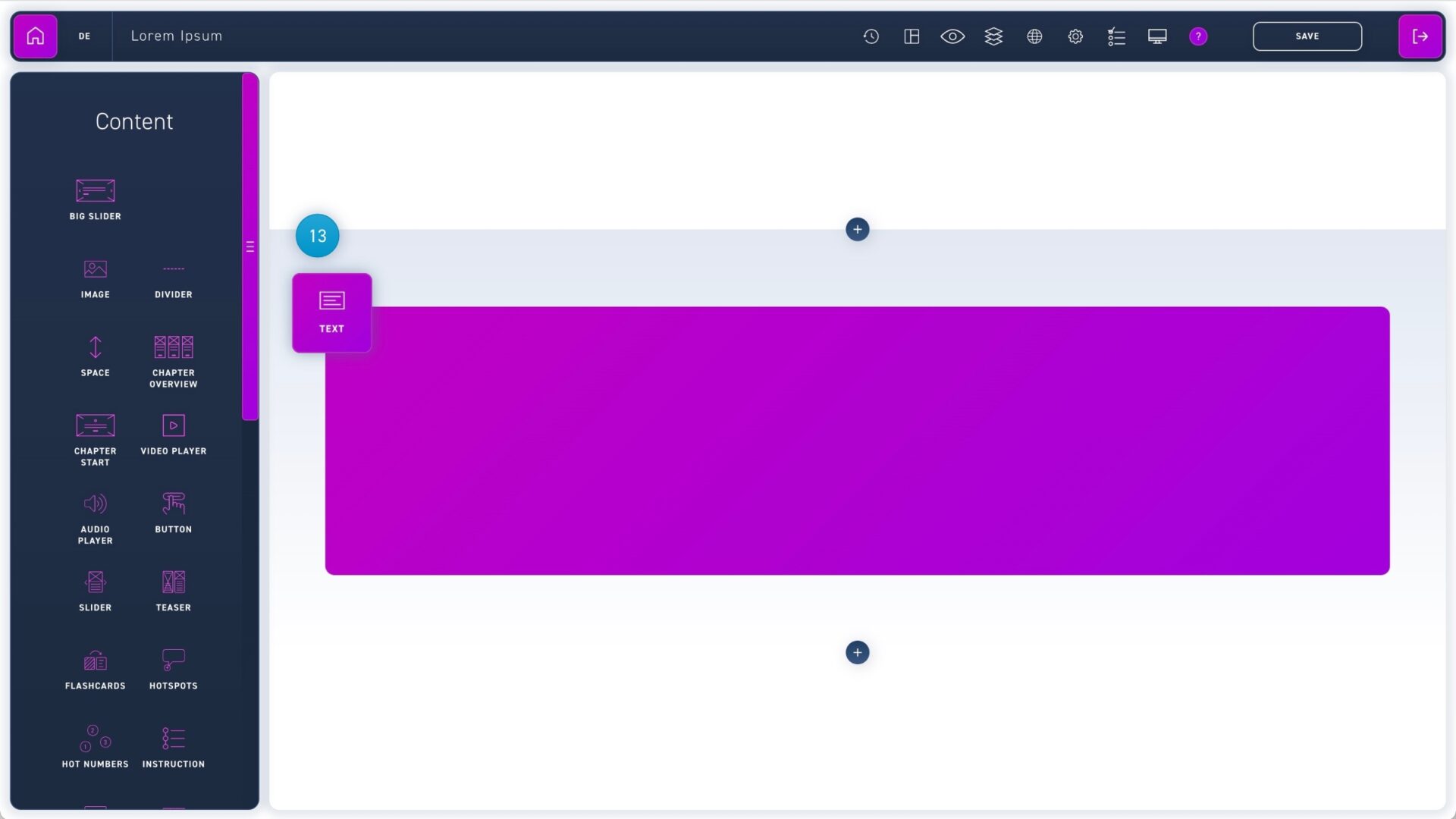
  1. Drag an element from the element box into the module.

edit elements

  1. To edit an element you can either click on it or hover your mouse over the move icon.
  2. With the pencil icon you can edit the element.
  3. The paper stack icon duplicates the element.
  4. With the trash can icon you can delete the element.
  5. The header of the edit box shows the element that is currently selected.
  6. Below it you will find the duplicate and delete options.
  7. Below the header area you will find the edit options for your selected element.