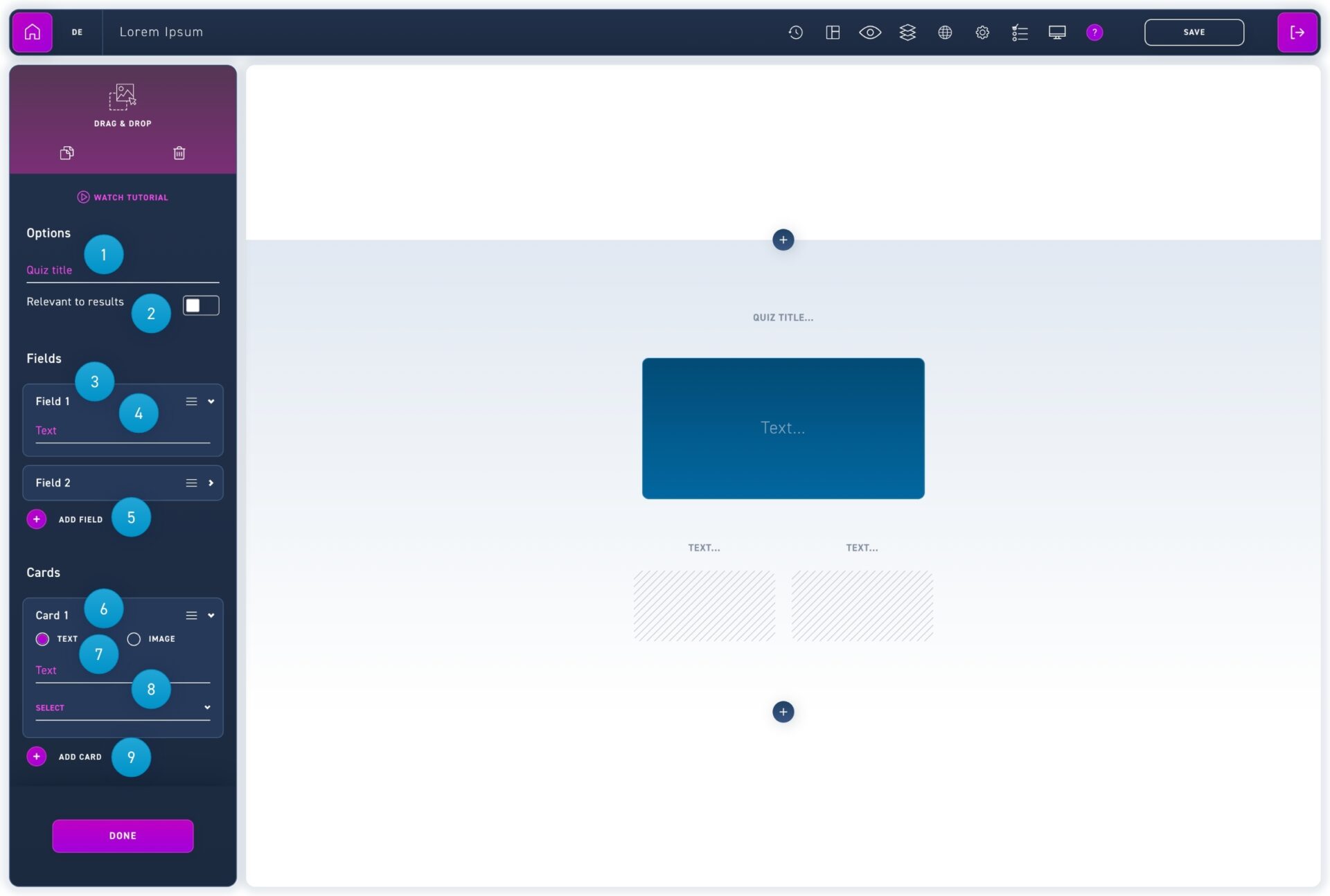
The drag and drop quiz is suitable for "either or" questions as well as for multiple category assignments. Your learner drags the randomly arranged cards into the appropriate boxes.
Enter an overall quiz title. This quiz title will be displayed when the WBT is displayed. So choose a unique title that can be used to assign the quiz.
Select whether the quiz is relevant to the result or not. Only quizzes that are relevant to the end result will be taken into account for passing the quiz.
Click on a field to edit the text. Click and drag the move icon to edit the order of the fields.
Enter the label of the field.
Add more fields with the add field button.
Click on a card to edit its content.
Select whether the card should contain text or an image.
Add text or image and select the right field from the dropdown menu.