How can we help you?

Haven't got the manual to hand, misplaced it or lost it?
Then download it here conveniently and easily as a PDF.

Download PDF

Interactive Video

watch a short video

STEP BY STEPĀ 

Interactive videos allow you to train your learners using real-life situations.
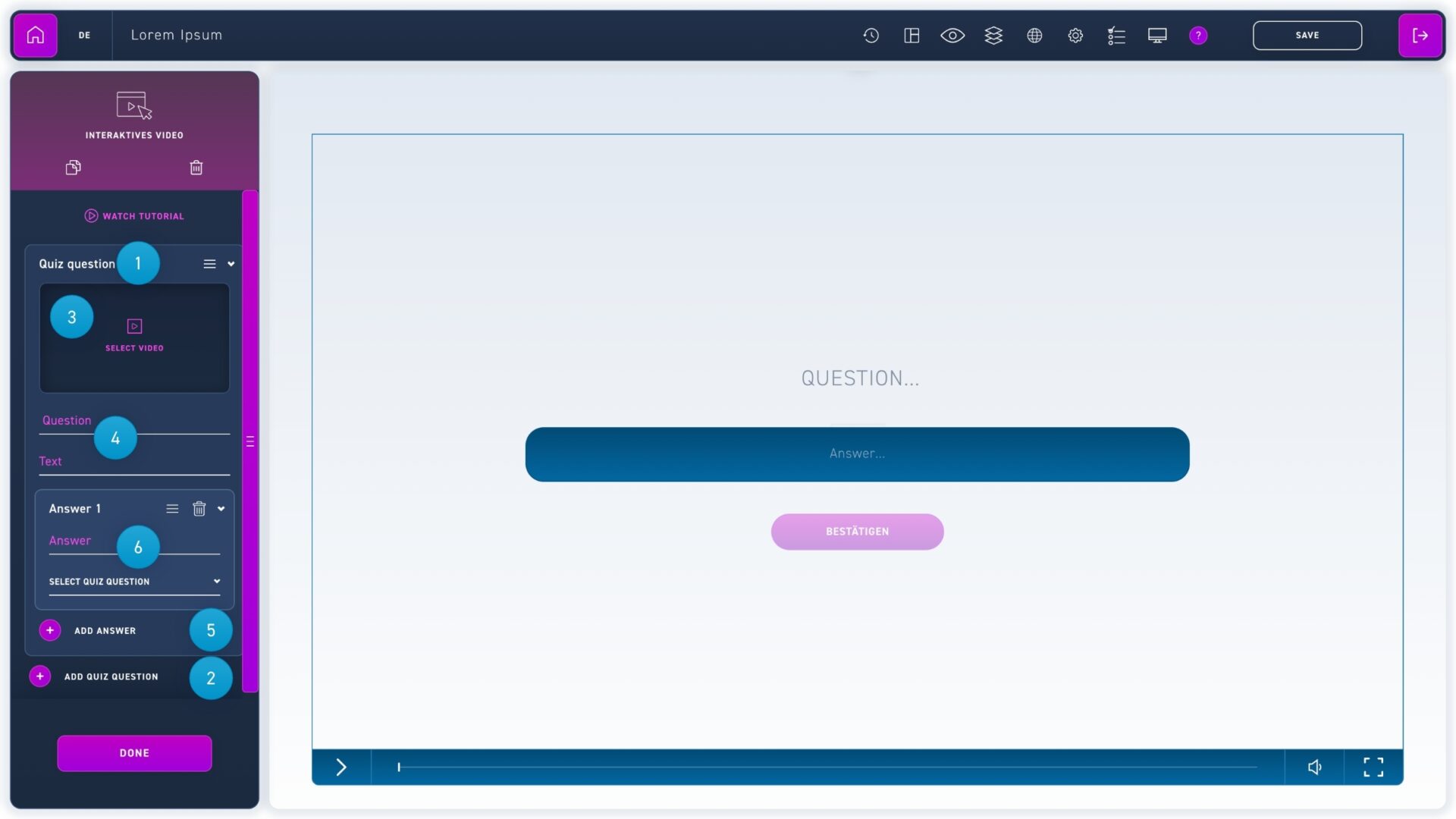
  1. A quiz question is a single video snippet that is shown to your learner before a question.
  2. Click the plus button add quiz question to add more video snippets.
  3. Click a quiz question to insert a video using the select video button.
  4. Below you will find the input fields for the question at the end of the video, as well as (optionally) a description text.
  5. Click on the plus button add answer to create an answer option.
  6. Click on an answer to add the text and use the dropdown field to select which quiz question (i.e. video) the answer will lead to.