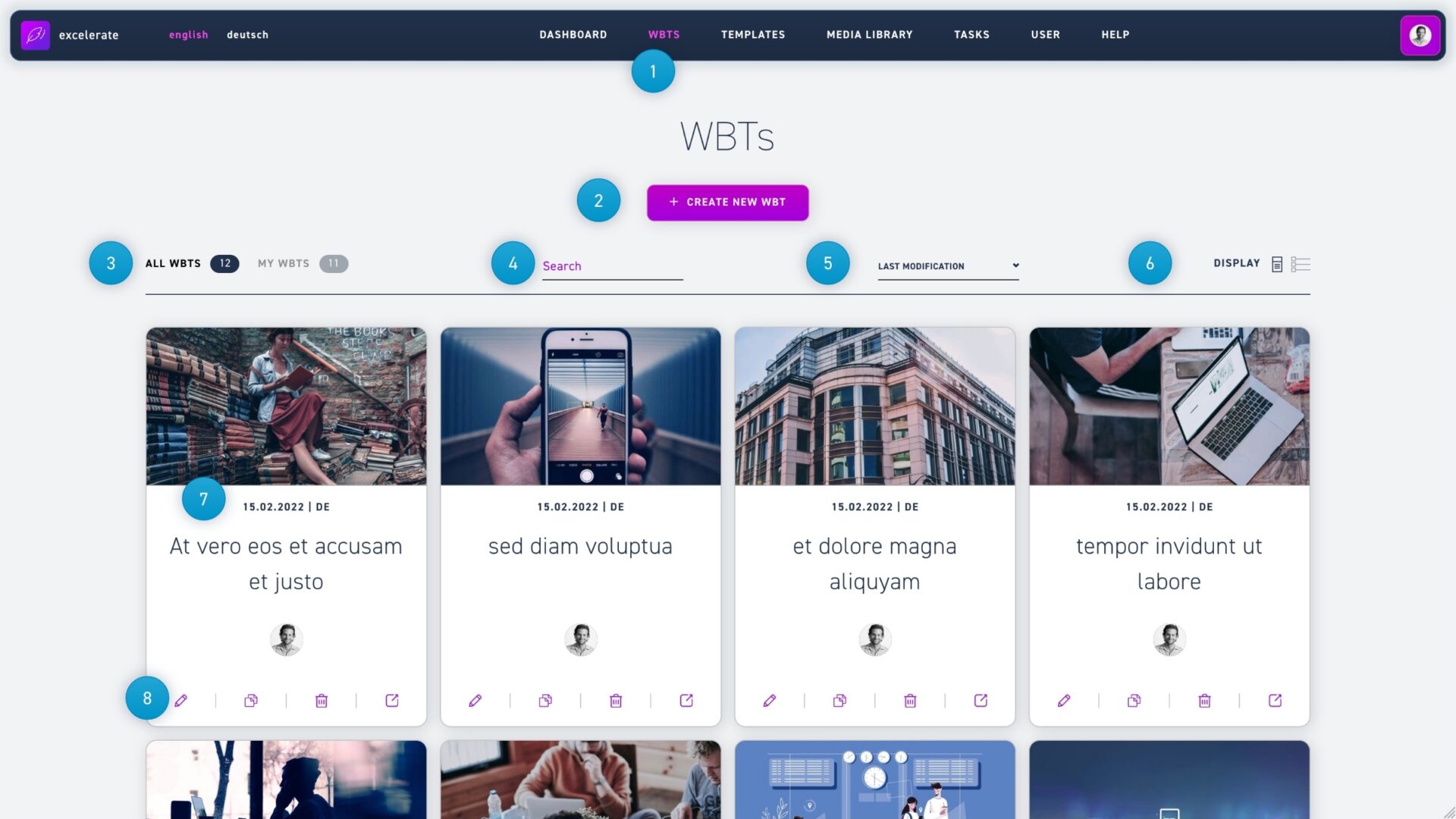
Click the create new WBT button to create a new WBT.
Under my WBTs you can only see WBTs that you have created (corrections to other authors' WBTs are not taken into account).
The search function allows you to search for WBT titles or content
The dropdown menu with the option last change gives you the possibility to sort all WBTs according to certain criteria. It is possible to sort the WBTs alphabetically, creation date old to new, creation date new to old, modification date old to new, modification date new to old or by tags.
Under appearance you can toggle between tile and list view.
The teasers shows you the last modification date, the entered languages and the title of the WBT.
The pencil icon opens the WBT in the editor, the stack of paper icon duplicates a WBT, the trash canicon deletes a WBT, and the link icon creates an external link that non-registered users can use to view the WBT.