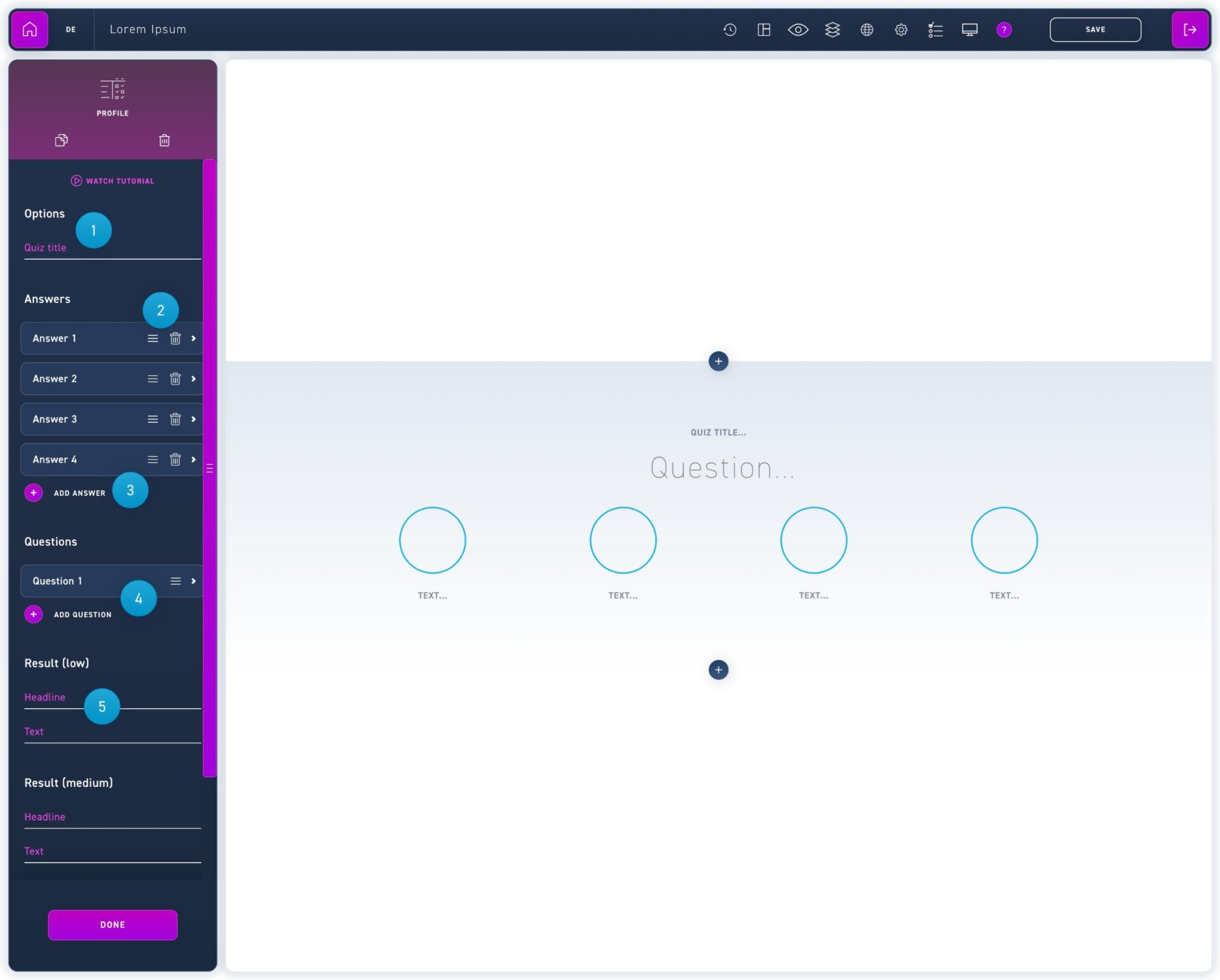
The profile quiz is suitable to ask more detailed assessments and thus build up a profile of the user.
The quiz title is displayed in the WBT evaluation. So choose a unique name.
The answer options can be moved with the burger icon or deleted with the trash can icon.
Click on add answer to create new answers.
Questions can be moved in their order with the burger icon. Click on Add question to create a new question.
The evaluation of the profile quiz is divided into 3 levels. For this, the average of all questions is calculated and the corresponding text is displayed to the learner.