How can we help you?

Haven't got the manual to hand, misplaced it or lost it?
Then download it here conveniently and easily as a PDF.

Download PDF

Review System

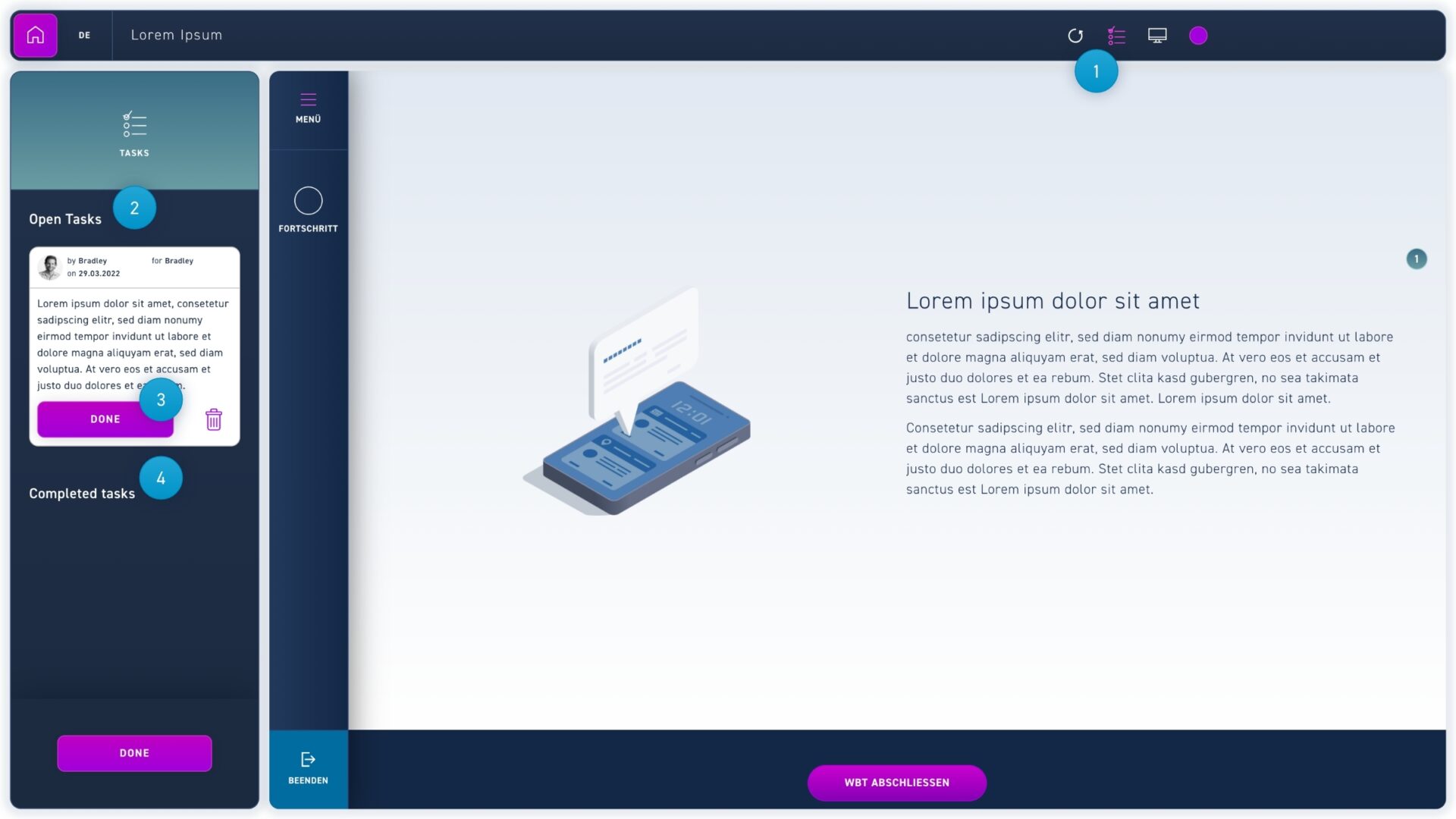
excelerate offers you as a team a powerful collaboration tool. With it, you can establish an efficient workflow for correcting and approving your WBTs. With the review system you can easily leave comments on each item and even attach files, set a deadline and assign the task to the right person. Click on the list icon to switch to tasks mode.

Watch a short video

Step by Step

  1. Switch to the tasks mode with the list icon.
  2. Here you can see all open tasks in your WBT.
  3. Open tasks can be completed by the author to whom the task was assigned. If no author is selected, any author can complete the task.
  4. Here you can see all completed tasks in your WBT.
  5. Elements with open tasks are marked with a green circle with the number of open tasks.
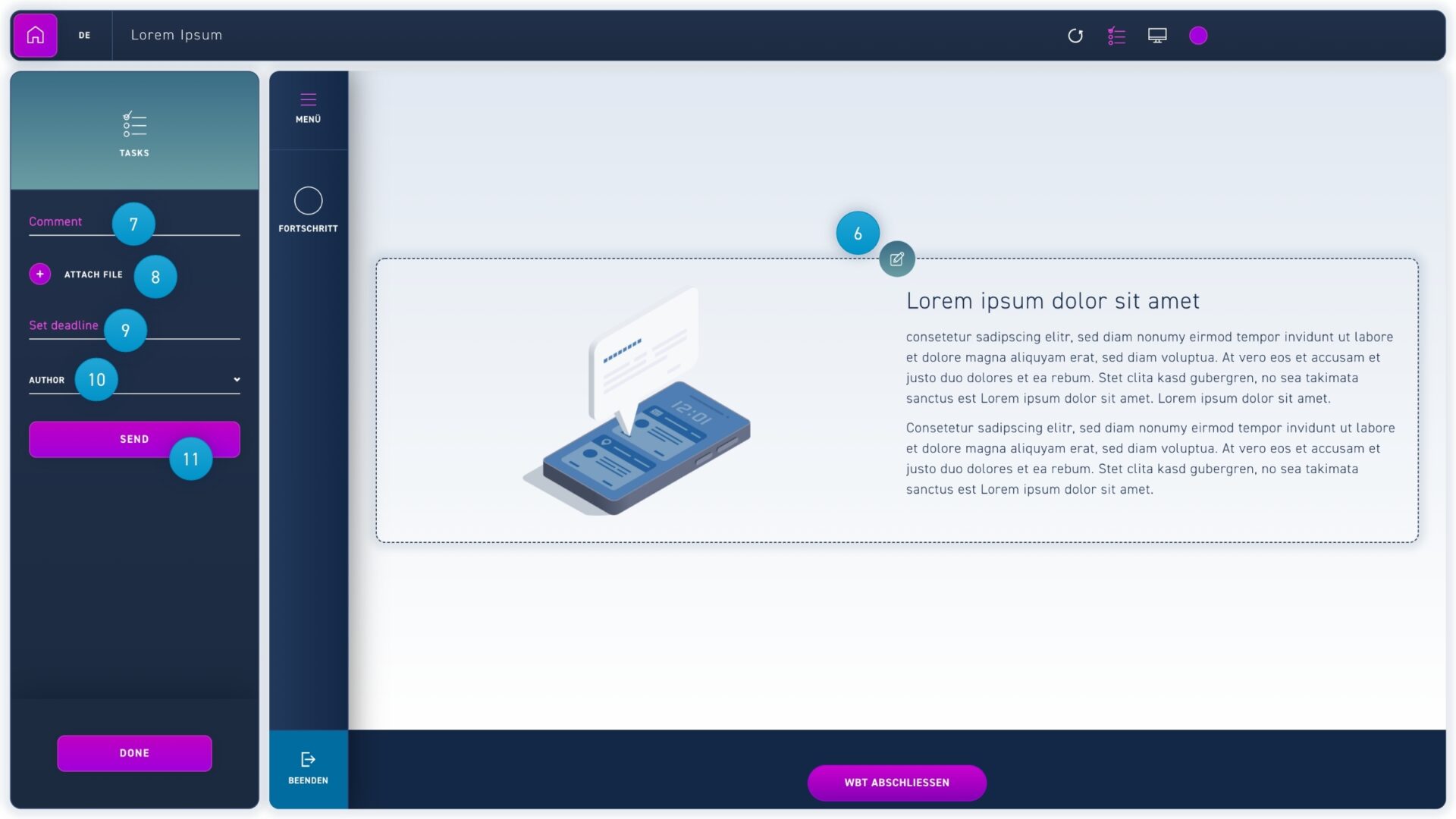
  1. Move the cursor over an element and click on the task icon to write a comment or view written tasks.
  2. Enter your task in the corresponding text field.
  3. Upload a file (optional). Uploaded files can be saved by authors in the media library. To do so, the author clicks on the file and presses the save to media library button.
  4. Set a deadline (optional).
  5. Select the author who should complete the task (optional).
  6. Click the send button to submit the taske