How can we help you?

Haven't got the manual to hand, misplaced it or lost it?
Then download it here conveniently and easily as a PDF.
Download PDF

Spreadsheet

STEP BY STEPĀ 

STEP BY STEP

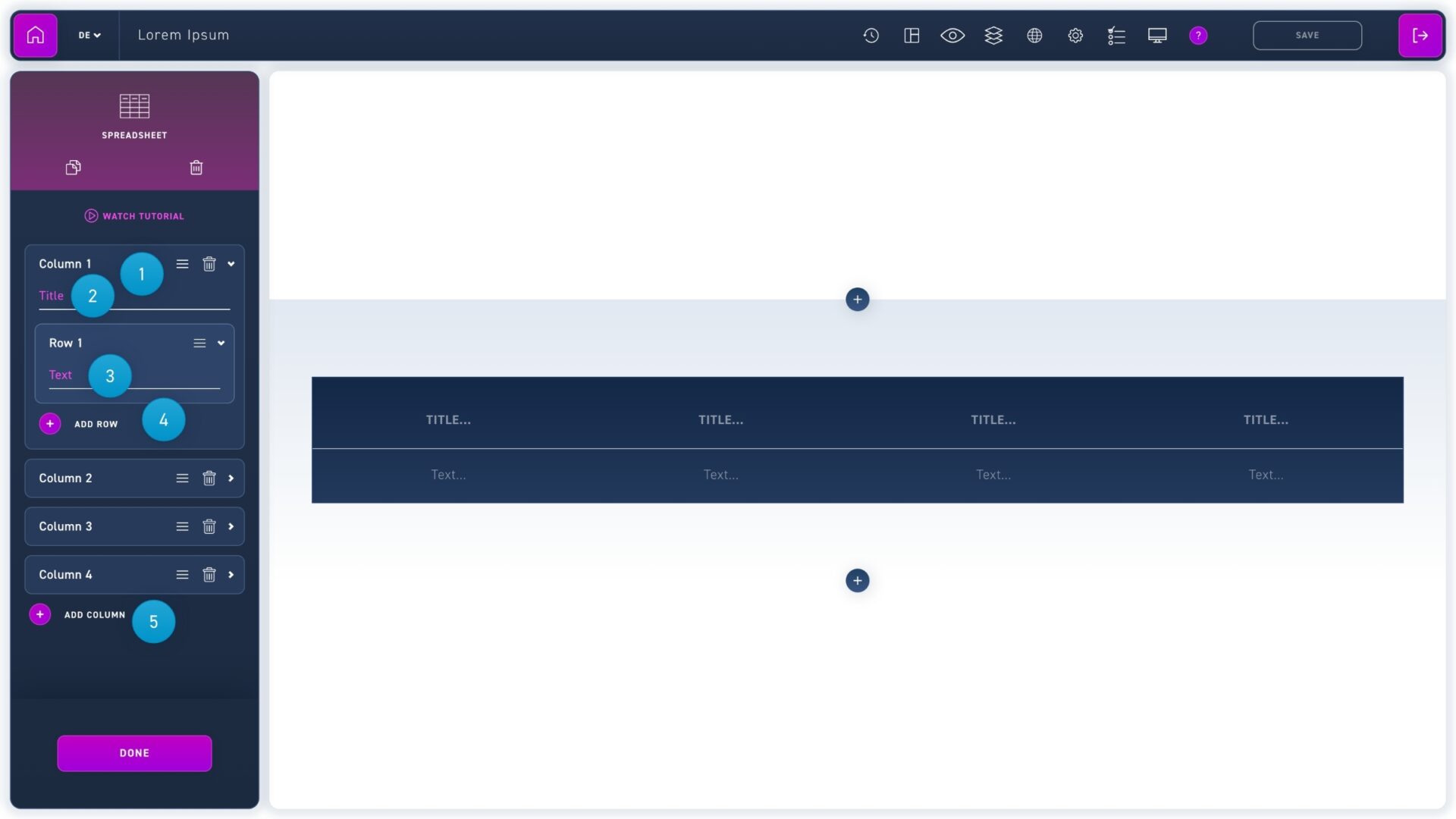
  1. Click on a column to edit its content. Click and drag the move icon to change the order. To delete a column (or a row), click the trash can icon.
  2. Enter a column title.
  3. Enter the row content.
  4. Create new rows using the add row button.
  5. Create new columns using the add column button.