How can we help you?

Haven't got the manual to hand, misplaced it or lost it?
Then download it here conveniently and easily as a PDF.

Download PDF

Video

step by stepĀ 

Videos can be uploaded in the .mp4 format and shouldn't exceed a file size of 1GB.

For optimal playback speed we recommend a bitrate between 2000-3000KB/s.
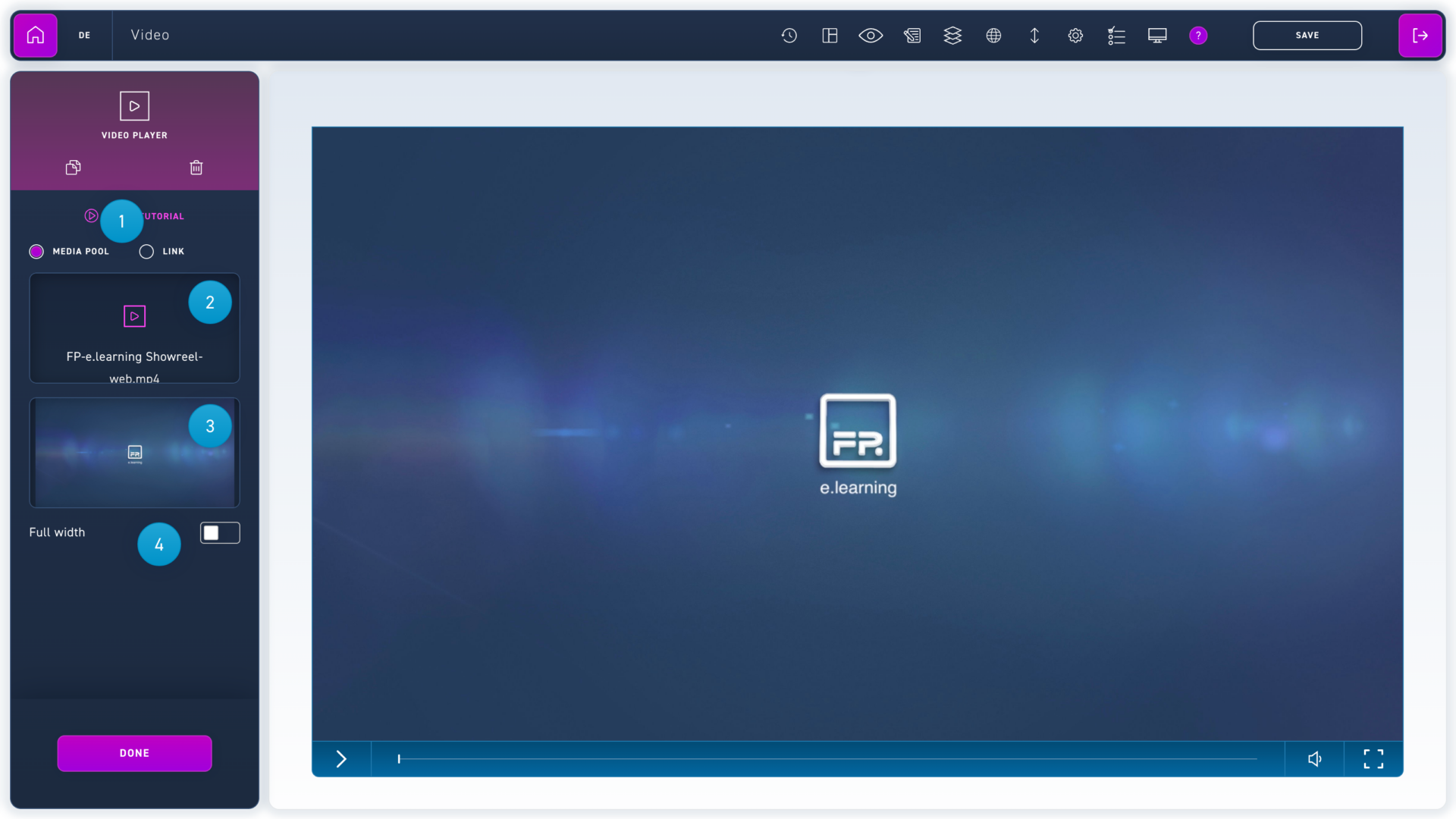
  1. Use the radio buttons to choose, whether the video will be loaded from the media pool or an external source.
  2. Click on select video to open the media pool and insert a video.
  3. Click on select preview image to open the media pool and choose a preview image.
  4. If the video player should run over the whole width, choose the option full width.
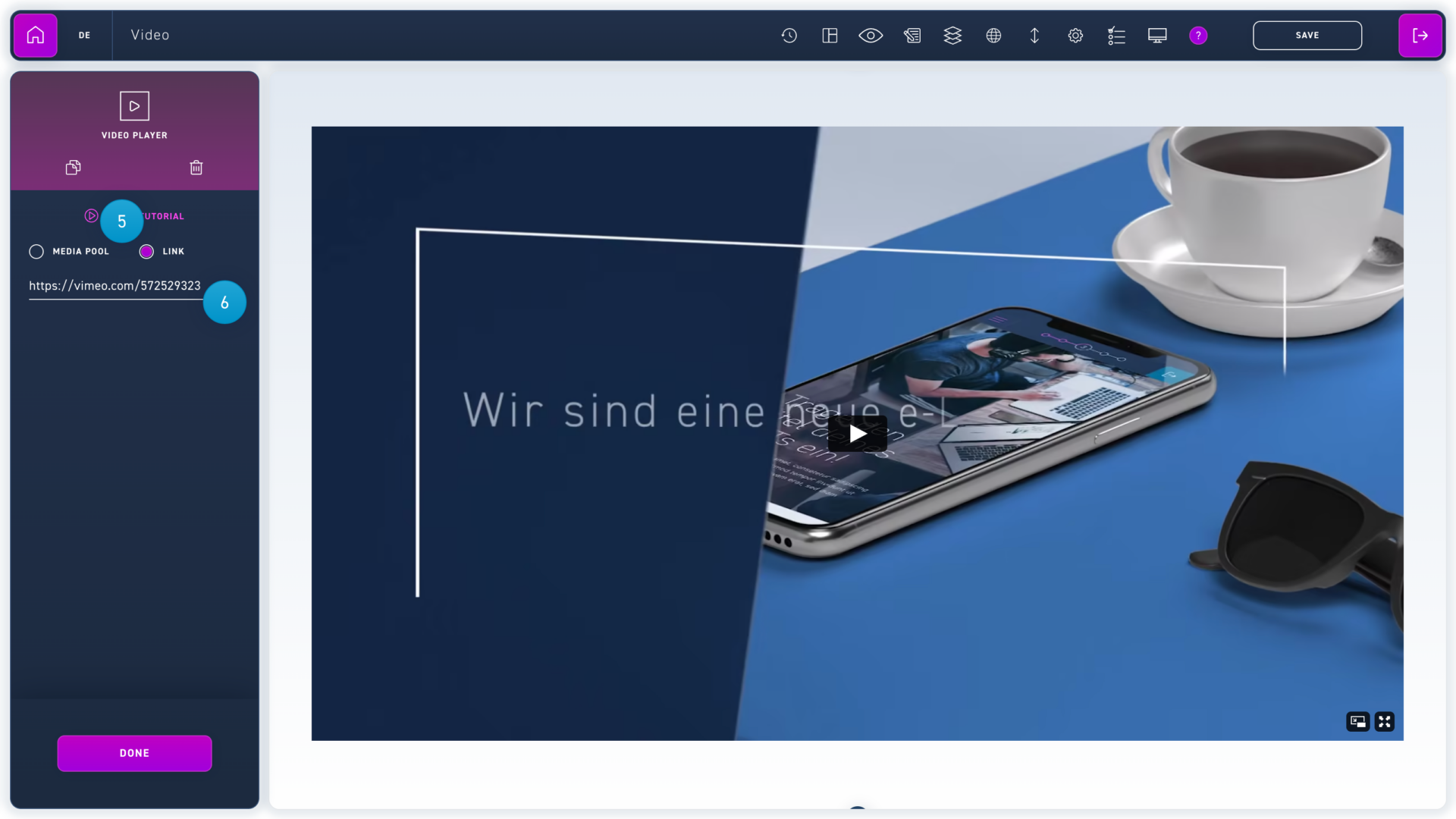
  1. You can also embed videos from Youtube and Vimeo. To do that, first click on the radio button link.
  2. Paste the video link into the text field. You can get the link by copying the url of the video site.