How can we help you?

Haven't got the manual to hand, misplaced it or lost it?
Then download it here conveniently and easily as a PDF.
Download PDF

Create a WBT

Watch a short video

step by stepĀ 

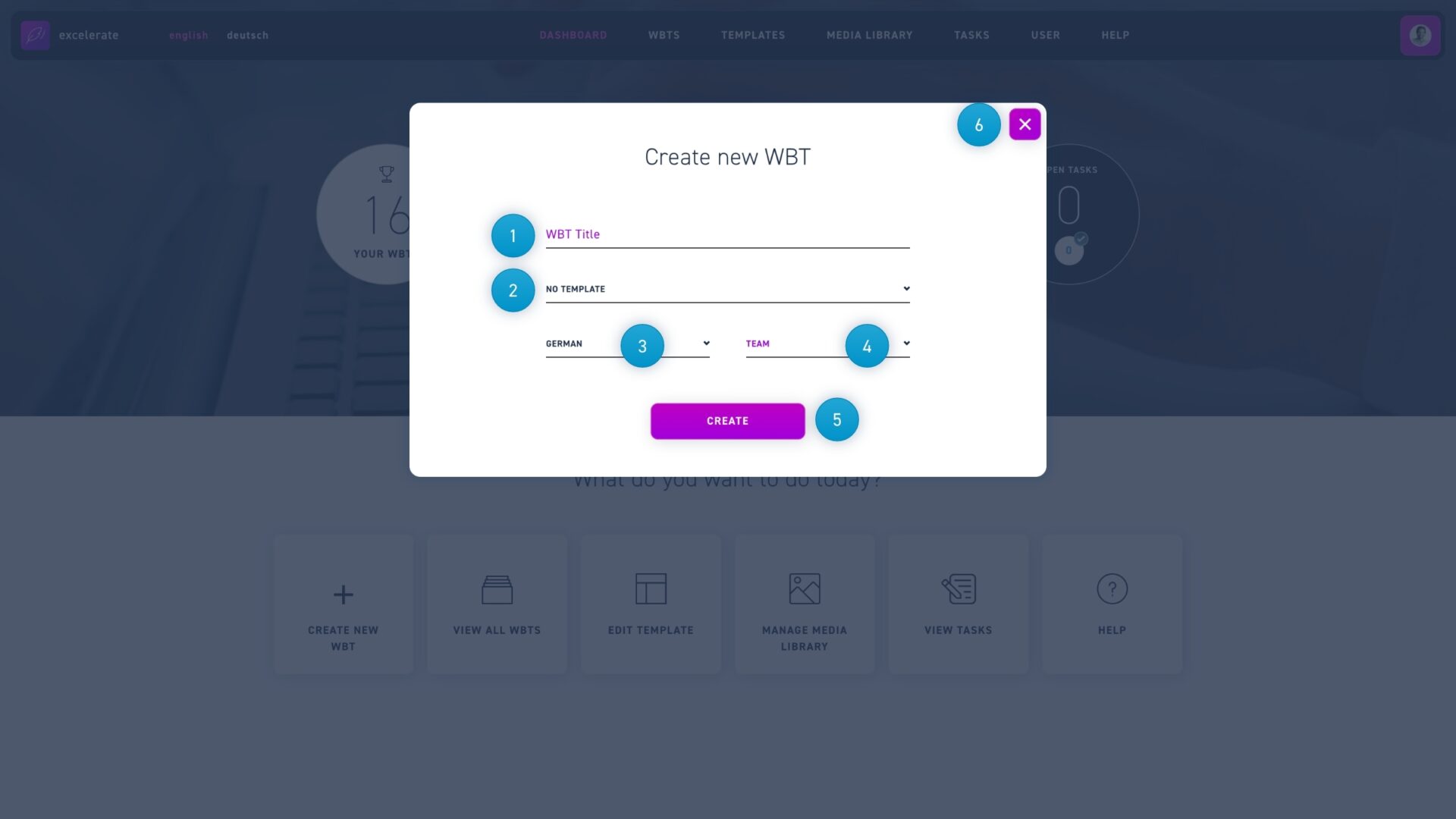
  1. Go to the Dashboard page and select the + create new WBT option. Enter the title of the WBT.
  2. Select whether you want your WBT to be based on a template or not.
  3. Select the language of your WBT.
  4. if you want only certain team members to see the WBT, select a team.
  5. Click the create button to confirm your entries and create a WBT.